


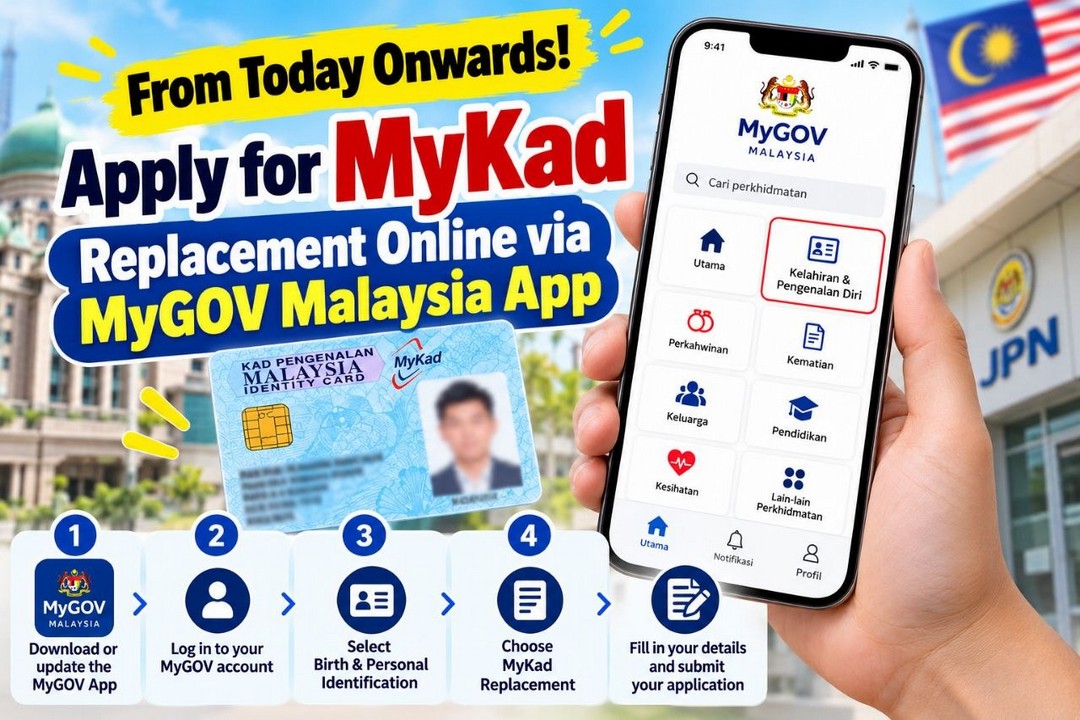
Getting a MyKad replaced in Malaysia can sometimes feel like an extra chore, especially when you have a busy work schedule, family commitments or other errands to settle. The thought of travelling to a National Registration Department (Jabatan Pendaftaran Negara, or JPN) office and waiting at the counter just to begin the application process may not be particularly appealing. Fortunately, Malaysians now have another option worth exploring, with the MyGOV Malaysia App offering an online service for MyKad replacement applications.
This is welcome news for anyone who needs to replace their identity card and would prefer to handle the initial steps digitally. Instead of immediately making a trip to a JPN counter, eligible applicants can access the service through the MyGOV Malaysia App, submit their details and follow the instructions provided.
Although this is not a traditional shopping promotion or a sale offering discounted products, it is a useful government digital service that could help Malaysians save time, reduce unnecessary travel and make an essential administrative task more convenient.
MyKad Replacement Made More Convenient with MyGOV Malaysia
A MyKad is an important document that Malaysians rely on for identity verification and a wide range of everyday activities. If your card needs replacing, it is sensible to find out how to start the process as efficiently as possible.
The introduction of an online application option through the MyGOV Malaysia App offers a practical alternative for eligible users. Rather than immediately heading to a JPN office to begin the process, applicants can first check the available service and submit their information online.
This can be particularly helpful for people who live some distance from a JPN branch, have limited time during office hours or simply prefer completing administrative tasks using their smartphones.
However, applying online does not necessarily mean the entire replacement process can be completed without visiting a government office. Depending on the applicant’s circumstances and the requirements of the service, an appointment, identity verification or physical collection of the replacement MyKad may still be necessary.
The main advantage is having a convenient starting point that allows applicants to check the requirements before arranging their next steps.
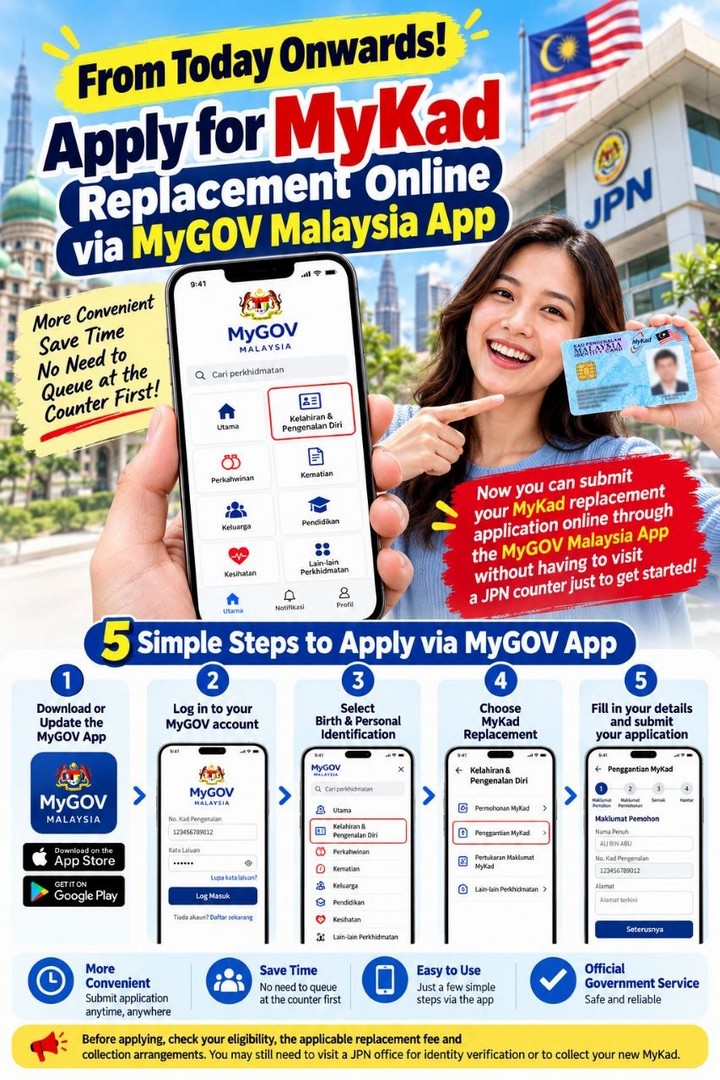
How to Apply for MyKad Replacement in Five Simple Steps
If you need a replacement MyKad, getting started through the MyGOV Malaysia App is straightforward. Follow these five steps to access the service.
Step 1: Download or Update the MyGOV Malaysia App
First, make sure the MyGOV Malaysia App is installed on your smartphone and updated to a suitable version.
Android users can access the Google Play Store, while iPhone users can visit the Apple App Store.
Search for the official MyGOV Malaysia application and check that you are downloading the correct app before proceeding. If it is already installed on your device, check whether an update is available.
Using the latest version can help ensure that the available services and app functions are up to date.
Step 2: Log In to Your MyGOV Account
Open the app and sign in using your registered MyGOV account details.
If you have not registered or encounter difficulties signing in, follow the instructions provided through the official platform. Make sure your account information is accurate and that you can access any verification method required during login.
It is also a good idea to complete this step before you are in a hurry to submit an application. Sorting out account access in advance can make the process less stressful.
Step 3: Select “Kelahiran & Pengenalan Diri”
Once you have logged in, look for the “Kelahiran & Pengenalan Diri” section on the main menu. This translates to Birth and Personal Identification.
This section provides access to relevant services relating to personal identification and civil registration. Select it to find the available options.
Depending on the app version, the layout or wording of certain menus may change, so follow the instructions displayed on your screen.
Step 4: Tap “Penggantian MyKad”
Next, select “Penggantian MyKad”, which means MyKad Replacement.
This is the service you need to access to begin the online replacement application. Before continuing, read any information displayed about eligibility, supporting documents, fees and the steps involved.
Taking a few minutes to understand the requirements can help prevent unnecessary delays later. If the service is unavailable for your particular circumstances, check the official JPN guidance for the appropriate application method.
Step 5: Complete Your Details and Submit the Application
Fill in the requested information carefully and provide any supporting documents required by the application.
Double-check your personal details before submitting the form. Incorrect information or missing documents could cause complications or delay the processing of your request.
Once you have submitted the application, follow the instructions provided by the app. Keep any reference number, confirmation message or application information available so that you can refer to it later if necessary.
You should also check whether further action is required, including payment, an appointment, identity verification or collection of the replacement card.
Important Things to Check Before Applying
While the online service offers greater convenience, there are several things worth checking before you begin.
Confirm your eligibility. Not every type of MyKad replacement necessarily follows the same process. Check whether the online service covers your particular situation, such as a damaged card, a lost card or another reason for replacement. Do not assume that all applications can be handled through the app.
Check the replacement fee. The amount payable may depend on the reason for replacement and the applicable government rules. Consult the official service information to confirm the current fee before making payment. Do not rely on outdated fee information shared on social media.
Understand the collection arrangements. An online application does not automatically mean your replacement MyKad will be delivered to your home. You may need to visit a designated JPN office, attend an appointment or complete an identity verification procedure.
Use official channels. Since MyKad applications involve sensitive personal information, access the service through the official MyGOV Malaysia platform and follow the instructions provided by the relevant government department. Avoid submitting identity documents or personal details through unofficial links.
For the latest information, visit the official MyKad replacement application service or the MyGOV Malaysia website.
Why Should Malaysians Take Advantage of This Service?
The biggest benefit is convenience. When an online option is available, you can check the requirements and start the application process without immediately travelling to a government counter.
This may help reduce unnecessary journeys, particularly for people who live far from a JPN branch or need to arrange transport and take time away from work. It can also make planning easier because you have an opportunity to understand the process before deciding whether a physical visit is necessary.
For families managing several responsibilities, small improvements like these can make everyday administration less troublesome. Instead of setting aside time for an initial enquiry at the counter, eligible applicants can first explore the service from home.
There is also a practical benefit to having the relevant information readily available on your smartphone. You can review the instructions, prepare the necessary details and keep your application information organised in one place.
Nevertheless, it is important to remember that the service does not necessarily remove every in-person requirement. Applicants should follow the official instructions rather than assume that submitting the form means the replacement card has already been approved or issued.
A Useful Digital Service Worth Knowing About
The MyGOV Malaysia App’s online MyKad replacement service is a helpful option for Malaysians who want a more convenient way to begin an essential government application. With a smartphone and a registered account, eligible users can access the service, complete the required details and find out what needs to happen next.
If your MyKad needs replacing, this is a good opportunity to check whether you can start the process online before making arrangements to visit a JPN office. Remember to confirm your eligibility, the applicable fees and the collection requirements through official government channels.
It may not be a shopping bargain, but saving time, reducing unnecessary travel and making everyday tasks easier can be just as valuable. For Malaysians looking for a simpler way to manage their MyKad replacement application, the MyGOV Malaysia App is certainly worth checking out.
Promotional/Event Details
Date: From 20 October 2026 onwards, subject to official service availability
Time: Online access through the MyGOV Malaysia App; processing and any counter visits depend on official requirements.
Venue: MyGOV Malaysia App and the official MyKad replacement application service. A JPN office visit may still be required.
Service: Online MyKad replacement application for eligible Malaysians.
How to Apply: Download or update the app, log in, select “Kelahiran & Pengenalan Diri”, tap “Penggantian MyKad”, and complete the application as instructed.
Fees: Check the official service page for the applicable replacement fee.
Official Links:
- Google Play Store: https://play.google.com/store
- Apple App Store: https://apps.apple.com/
- MyKad Replacement Service: https://www.malaysia.gov.my/en/
- MyGOV Malaysia: https://mygov.miniapp.malaysia.gov.my/ms-MY

EverydayOnSales help brands connect with our community, the largest warehouse sales consumers database in Malaysia. Advertise with EverydayOnSales Malaysia.